1.888.913.6266

Nanotek

Nanotek
  • About Us
    • Microsoft Partnership
    • Available Positions
    • Contact Us
  • Services
    • NanoConsult
      • IT Consulting Services
      • IT Support Services
      • Managed IT Services
      • Office 365 Migration Consultants
      • Microsoft Azure Managed Services
    • NanoCloud
    • NanoBackup
    • NanoVoice
    • NanoSecure
      • Nano Archiver
      • Nano Spam
      • NanoSecureMail
    • NanoCreaDev
  • Industries
    • Legal
    • Financial
    • Manufacturing
    • Associations / Lobby Groups
    • Small Businesses
    • Enterprises
  • IT Support Options
    • Get Customer Support
    • Support Packages & Contracts
    • Emergency Support Services
  • Case Studies
    • Success Story Videos
      • NanoVoice
      • NanoConsult
      • NanoCloud
    • Testimonials
  • Resources
    • Nanotek Blogs
    • Videos
    • Support Tools
  • Contact
    • Book Consultation
    • Request Quote
    • Request Cloud Demo
    • Referral Program
    • Contact Us
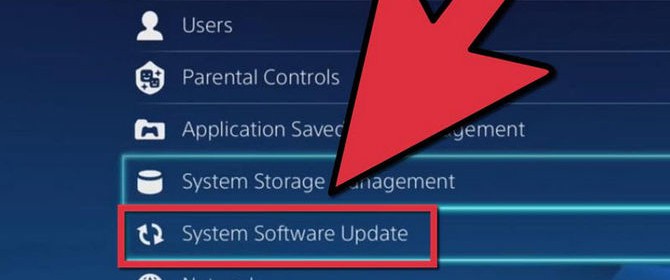
670px-Update-System-Software-on-PS4-Step-3-Version-2
  • Like 

Don’t forget to update all software

11 years ago nanotek

If you’re signed up for Windows automatic updating (and we hope that you are), you’ll get all the security updates for your operating system and other Microsoft software such as Internet Explorer, Microsoft Word, Windows Defender, Microsoft Security Essentials, Microsoft Excel, and more.

Note: If you have a Windows Phone, you can adjust the settings to get automatic updates.

What about non-Microsoft software?

To help keep your computer secure and running smoothly, you’ll need to update not just your Microsoft software, but all of your other software too. That includes software that came with your computer, as well as apps, programs, and other software that you downloaded yourself.

Most software should:

Update itself automatically, or

Notify you when an update is available so that you can decide whether you want to install it.
It’s a good idea to go through all your software and look for a “Check for updates” option in one of the menus. For example, you can update Adobe Reader by going to Help > Check for updates januvia free trial.

Previous Post

Microsoft's Android moment has arrived

Next Post

The people side of disaster recovery: 10 things managers should do

Recent Posts

  • NanoTek - Growth Chart Image
  • two young businessmen discussing document
  • Cloud computing
  • Doing Overtime Stacking Many Emails In Cyberspace
  • Blizzard
  • spam email
June 2026
M T W T F S S
1234567
891011121314
15161718192021
22232425262728
2930  
« Feb    

Tweets

  • About Us
    • Microsoft Partnership
    • Available Positions
    • Contact Us
  • Services
    • NanoConsult
      • IT Consulting Services
      • IT Support Services
      • Managed IT Services
      • Office 365 Migration Consultants
      • Microsoft Azure Managed Services
    • NanoCloud
    • NanoBackup
    • NanoVoice
    • NanoSecure
      • Nano Archiver
      • Nano Spam
      • NanoSecureMail
    • NanoCreaDev
  • Industries
    • Legal
    • Financial
    • Manufacturing
    • Associations / Lobby Groups
    • Small Businesses
    • Enterprises
  • IT Support Options
    • Get Customer Support
    • Support Packages & Contracts
    • Emergency Support Services
  • Case Studies
    • Success Story Videos
      • NanoVoice
      • NanoConsult
      • NanoCloud
    • Testimonials
  • Resources
    • Nanotek Blogs
    • Videos
    • Support Tools
  • Contact
    • Book Consultation
    • Request Quote
    • Request Cloud Demo
    • Referral Program
    • Contact Us
  • Toll Free: (888) 913.6266
  • General: info@nanotek.thedev.ca Support: support@nanotek.thedev.ca Sales: sales@nanotek.thedev.ca
  • 81 Zenway Boulevard Unit #1, Vaughan, ON L4H OS5 Canada

_________

© 2017 Nanotek Consulting Corp. All rights reserved.